Browse & Search
Explore popular novels or search by title directly from your device. No phone required.

A web novel library for KOReader.
Browse, track, and export your favourite stories as EPUBs — right on your e-reader.
Mythos brings the web novel experience to e-ink — browse, track, and read without ever touching a computer.
Explore popular novels or search by title directly from your device. No phone required.
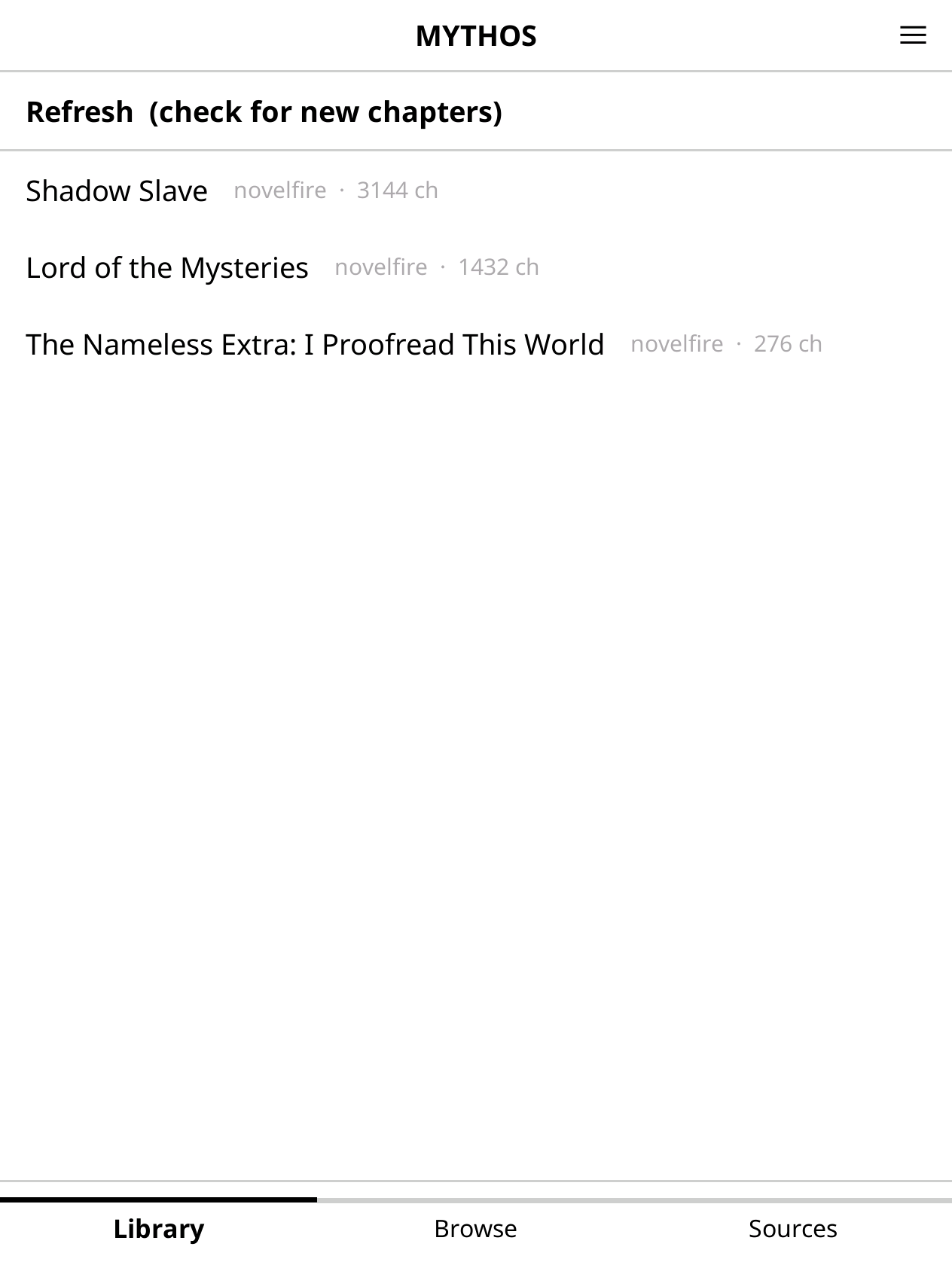
Save novels to your library and check for new chapters at a glance with one-tap batch refresh.
Pick all chapters, deselect what you don't want, or cherry-pick a custom range with precision.
Export as a single EPUB, one per chapter, or bundled into volumes — with cover art embedded automatically.
Sources are installable plugins. Add support for new sites without updating Mythos itself.
Re-opening a tracked novel is instant. Only new chapters are fetched, keeping things snappy.
Mythos runs natively on your e-ink device — no companion app, no cloud sync required.
Installs like any KOReader plugin — copy, restart, done.
Go to the Releases page and download mythos.koplugin.zip
Extract the zip — you'll get a folder called mythos.koplugin
Copy that folder into KOReader's plugins/ directory on your device
Restart KOReader → Tools → Mythos
Plugin directory by device
/mnt/onboard/.adds/koreader/plugins/
extensions/koreader/plugins/
wherever your KOReader plugins/ lives
Go to the Sources tab, tap + Add Repo, and enter the official extension repo. Tap Refresh Index, then tap an extension under Available to install it.
github.com/unitreign/mythosext
Switch to the Browse tab, select your installed source to see popular titles, or tap Search at the top to find something specific.
Tap any novel to open its detail page, then tap Track Novel to add it to your library. Use Refresh on the library screen to check for new chapters across everything you're following.
From a novel's detail page, switch to the Chapters tab. Select what you want, tap Export, choose your format, and Mythos builds the EPUB files on your device.
Each extension is a small Lua file that teaches Mythos how to talk to one website. Install directly on your device — no Mythos update needed.
The official extension repository is unitreign/mythosext — the best place to start. Extensions are installed from the Sources tab, straight onto your device.
Want to add support for a new site? The full API, required methods, and a worked example are documented in the repo. Finished extensions can be submitted as a pull request to mythosext.
Browse on GitHub →Official repository
github.com/unitreign/mythosext
Sources tab → + Add Repo
Enter repo URL, tap Refresh Index
Tap an extension under Available
Any device that runs KOReader — Kobo, Kindle, and others. If KOReader runs on it, Mythos runs on it.
Supported sites are managed through the extension system. Browse the extension repository, or .
Some chapters are locked behind a paywall on the source site — Mythos marks these and skips them on export. If a chapter that should be free fails to export, open an issue and we'll look into it.
When an update is available, an update button appears next to the extension in the Sources tab. Tap it to update.
Yes, and it always will be. If Mythos is useful to you, donations are welcome on Ko-fi.
You can open a request in the extension repository. If you've built one yourself and want it listed, open a pull request there.
No. Mythos has no analytics or tracking built in. Browsing, fetching novel details, and exporting chapters does make regular HTTP requests to those sites — so they may see traffic from your device, same as any browser visit.
Mythos is an open-source tool for finding and exporting web novels as EPUB files directly on your e-reader. It only accesses content that sites freely serve to any visitor — no paywalls bypassed, no premium chapters unlocked, no paid content scraped. Locked chapters are marked and cannot be exported. Please respect the terms of service of the sites you use and support the authors you enjoy.
Loading…